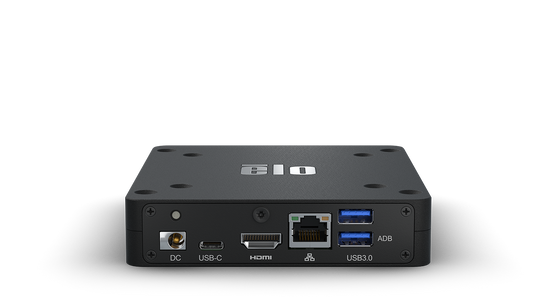
Collection: OPS PC & Compute

OPS modules — the slot-in Windows PC that drops into the back of an interactive panel — plus the small-form compute units used where a panel has no OPS bay.

Do you need one?

Often not. Every interactive panel here runs Android with its own whiteboard, browser and screen-share, and for a classroom that writes, shows a video and casts from a laptop, that is enough. The OPS slot stays empty and nothing is lost.

You need Windows in the panel when the room must run Windows software locally — specific teaching applications, a desktop conferencing client under corporate policy, domain login, or software the IT department manages centrally. Buying OPS modules for every room “just in case” is one of the easier ways to add several hundred dollars per room for a capability nobody uses.

OPS or an external mini PC?

OPS is tidier: no separate box, no extra power lead, no visible cables, powered and switched by the panel. An external mini PC is usually cheaper, easier to replace and not tied to the panel’s lifespan — when you change panels in five years, an external PC moves across and an OPS module may not fit the new panel. For a large estate that argument is worth weighing seriously.

Specify the right one

OPS modules are not universal in practice. Confirm the module against the exact panel model before ordering, and match the processor and memory to what the software actually needs rather than to the top of the range.

Buying and support

Quote-only, with pricing set by destination country, duty, quantity and installation scope. Related: Interactive Flat Panels, Software & Licenses.

Send panel models, what software must run locally and countries for delivered pricing.

OPS PC Compute Modules for Interactive Panels across the GCC & Africa

An OPS (Open Pluggable Specification) PC module slides directly into the standardised bay on the back of an interactive flat panel, delivering a complete Windows PC without a separate desktop tower, trailing cables or a wall bracket. Powering on the panel powers the module, giving teachers and presenters instant access to Windows, browsers, whiteboarding software and their usual applications on the large touchscreen.

When choosing an OPS module, match the processor tier and memory to the workload: light browsing and lesson delivery differ from data-heavy dashboards or video conferencing. Confirm the module suits your panel's OPS bay and pin configuration, and check connectivity such as USB, HDMI and network ports. For meeting rooms, ensure the specification comfortably runs Microsoft Teams or Zoom alongside content, and factor in room size and how many participants will share the display.

Typical deployments include university lecture theatres, corporate huddle and boardrooms, training centres and government briefing rooms, where a single tidy device simplifies estate management and support. A slot-in PC also reduces cable clutter and the risk of tampering in shared spaces.

We supply and deliver OPS PC compute modules across the GCC and Africa, including Dubai, Abu Dhabi, Riyadh, Jeddah, Doha, Kuwait, Muscat, Manama, Lagos, Nairobi, Accra, Johannesburg and Cairo, with some configurations imported to order. Hardware carries the manufacturer's OEM warranty, backed by our supplier assistance. Request a quote for your requirement.