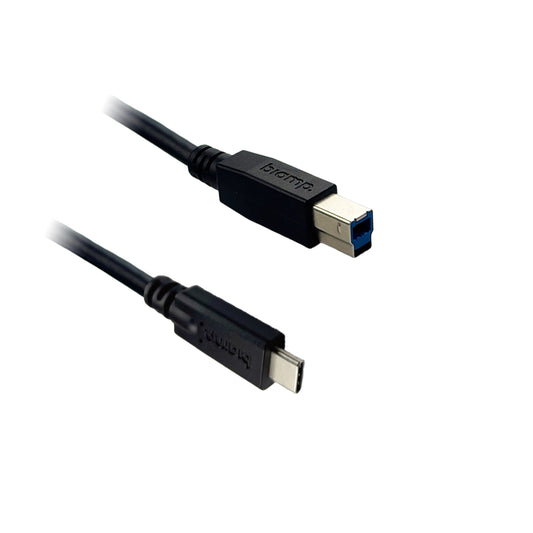
Collection: Cables & Adapters

HDMI, USB-C, DisplayPort, USB and network cables, plus the adapters and wall plates a room needs so a visitor can actually connect.

Cable length is a real specification, not a detail

HDMI over copper degrades with distance. Short runs are fine with any decent cable; past roughly 10 metres you need an active or optical cable, or an extender, and a cheap passive cable at that length produces a picture that works on the bench and flickers or drops out once installed. The same applies to USB runs to a camera at the front of a large room.

Measure the actual route — up the wall, through the ceiling, along the trunking — not the straight-line distance. The route is almost always half again as long as people estimate.

Put adapters in the room

Every meeting room eventually hosts someone with a laptop that has only USB-C, or only HDMI, or needs the other one. A small set of adapters tethered at the table box costs very little and prevents the most common and most visible room failure: a visitor who cannot get on screen while a room waits.

Buying and support

Quote-only, with pricing set by destination country, duty, quantity and installation scope. Related: Wireless Presentation (which removes the cable problem entirely for guests), Display Accessories, AV Accessories.

Send room counts and measured cable run lengths and we will specify passive, active or optical for each and quote delivered.

Choosing the right HDMI and USB-C cables for AV connectivity

Cables and adapters are the connective tissue of any AV or conferencing setup, carrying video, audio and data between sources, displays and room devices. The right cable prevents the dropouts, flicker and handshake failures that so often disrupt lessons and meetings.

To specify correctly, match the standard to the signal. For 4K UHD content, use High Speed or Ultra High Speed HDMI rated for the resolution and refresh rate you need, and remember that longer runs may require active or optical cables to hold the signal. USB-C is increasingly common for single-cable connections that carry video, data and power together, so check that the cable supports the alt-mode and wattage your laptop and display expect. Adapters bridge mixed environments, converting between HDMI, USB-C, DisplayPort and legacy VGA where older equipment remains in use.

These accessories serve classrooms, boardrooms, huddle rooms and signage installs, and keeping the right lengths and adapters on hand avoids last-minute room failures. We supply and deliver cables and adapters across the UAE, Saudi Arabia, Qatar, Kuwait, Oman, Bahrain and throughout Africa including Accra, Johannesburg and Cairo, with some items imported to order. Products carry the manufacturer's OEM warranty where applicable, and our team can help confirm compatibility. Request a quote.